Disclaimer & Acknowledgement
The first time you sign in — and again any time the legal text is updated to a new version — the app shows a full-screen Disclaimer & Acknowledgement before letting you into the reports. This page explains what it is and how to get past it.
Why this screen exists
Panthera Insight is a regulated, read-only reporting app. The disclaimer is the place where you confirm that you understand:
- Records from UBS and NAV prevail in case of any discrepancy — the app's content is indicative only.
- The app is not a trading or advisory tool.
- Access is granted only to invited clients and you are responsible for the device you use it on.
The full text is shown in-app and is also linked from the legal & privacy site.
How to accept
- Read the disclaimer. The screen shows the text in a scrollable area with a fade hint at the bottom.
- Scroll all the way to the end. Once you reach the bottom, a green check and the line "You have reviewed the disclaimer." appear, and the Accept button becomes active.
- Tap Accept.
The app then proceeds to your reports (or, on first sign-in, to the "Stay signed in on this device?" prompt described in Signing in).
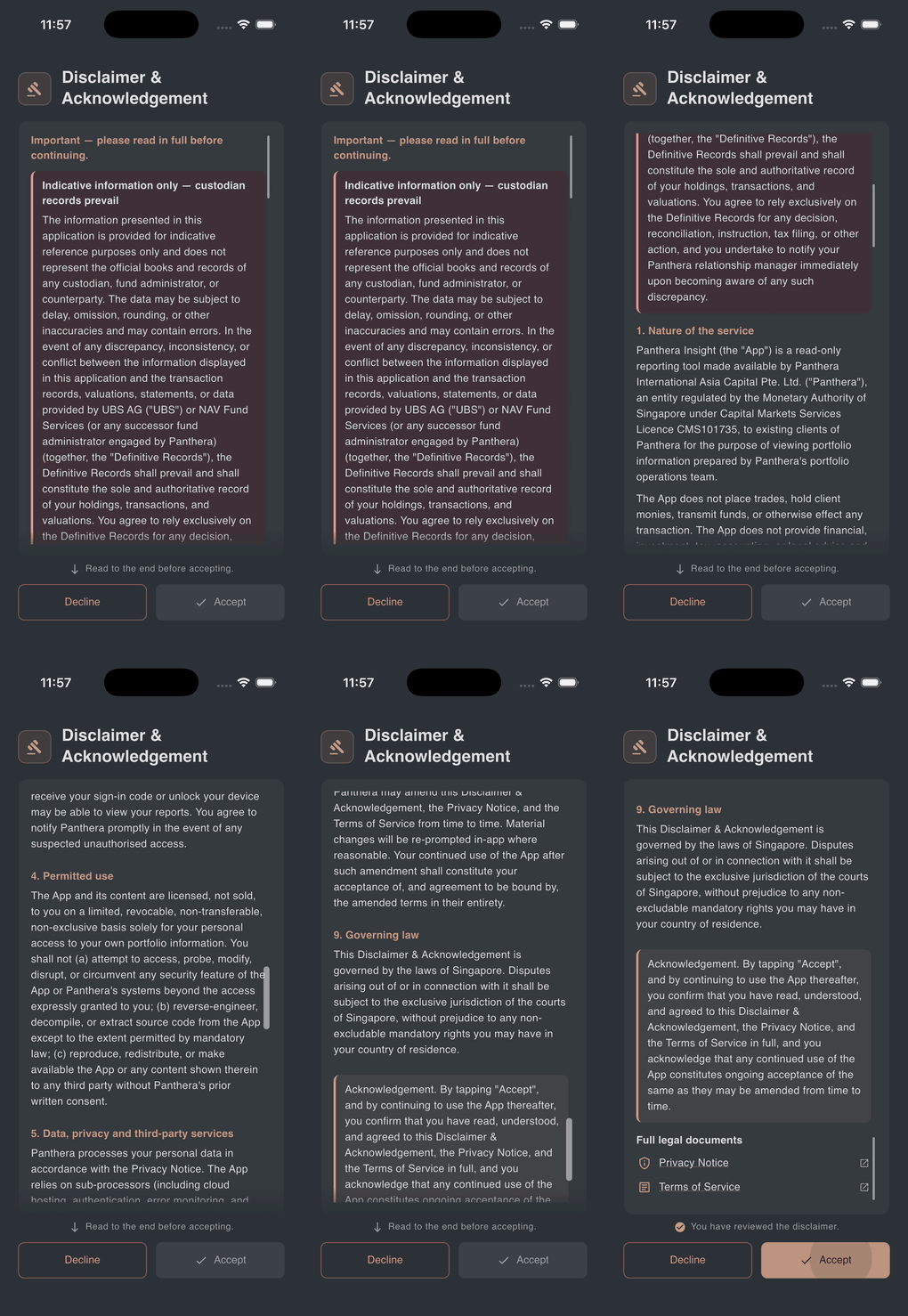
If the Accept button is greyed out
You have not yet scrolled to the end. The screen shows "Read to the end before accepting." with a small down-arrow. Keep scrolling — the button activates automatically once the bottom comes into view.
If you tap Decline
The app switches to a lock screen with a single button: Accept and continue. There is no other way forward — accepting the disclaimer is a condition of using the app. You can tap Review disclaimer again to scroll back through the text before deciding. The Android back button is disabled on this screen.
Why am I seeing this again?
The disclaimer is re-shown whenever the legal text is updated to a new version, so that your acceptance is recorded against the current wording. This is rare. Just scroll to the end and tap Accept again.
Where to read it later
The same text is permanently available outside the app at the legal & privacy site. Links to the Privacy Notice and Terms of Service also live in Settings → Legal.